Creating a Value Statement
A value statement allows you to enter or look up a value, and (optionally) apply a function to a value
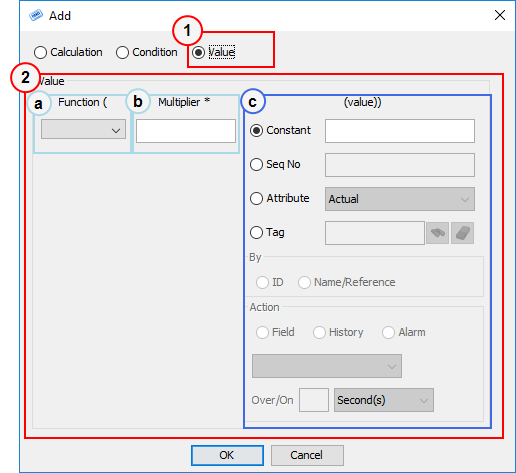
To create a value statement
- Select the Value option at the top of the Editor.
- Specify a source for the value. This can be composed of:
- (Optional) A function - this will take a single parameter consisting of the value multiplied by the (optional) multiplier.
- (Optional) A multiplier
- (Required) A value that you specify or look up from the application database or from another statement.