Shared Control Sites
What is a shared control site?
A shared site is a service point that is shared between two or more properties. A shared control site is a shared site where DMS can remotely control the delivery devices (such as valves or gates) attached to the service point to deliver the water to a specific property.
Shared control sites are currently restricted to Bermad Valve outlets. They are designated on the Network Schematic with the following icon:
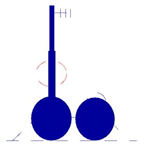
Shared control Bernad Valve icon
Configuring a shared control site
The following configuration settings are required for a shared control site:
Authorisation attribute
Service points are linked to properties by an authorisation. When a preset is sent to the service point, the device ID controls which delivery device will be turned on. Use this attribute to associate each delivery device with a specific authorisation.
| Property | Description |
|---|---|
| Shared Device ID |
Specifies the ID of the device that is associated with this authorisation. This must be a unique number between 1 and the total number of devices. For example, for a two-valve service point you must use the Device IDs 1 and 2 |
Service point attributes
These attributes must be set on the shared service point to enable shared control:
| Attribute | Description |
|---|---|
| Shared Indicator | Indicates that the site is shared. The value of the attribute is the number of properties sharing the site. |
| Shared Control Site | Set to YES for a shared control site |
| Shared Order Gap | Sets a minimum gap in minutes between consecutive orders at a shared site. Must be between 0 and 60 minutes. For a shared control site it must be set to a value greater than zero. |
Enforcing a gap between orders at shared sites
You can enforce a gap between consecutive orders at shared sites by setting the Shared Order Gap attribute to a number of minutes between 0 and 60.
You can set the attribute directly on the site, or at a higher level - such as the system level for a system-wide default. If customers try to place an order that conflicts with the specified gap, they will see an error message that tells them that they have tried to place an overlapping order.
| Note: | Note that this gap can apply to ALL shared sites, not just shared control sites. |
|---|
Viewing presets for a shared control site
If you open the Presets screen for a shared control site, you will see an extra Device column in the presets tables that identifies the device to which the preset applies.
| Note: |
The device is identified by the Operator and Authorisation names because this is more meaningful than the Device ID. To select a different device, use the drop-down control in the device field. |
|---|
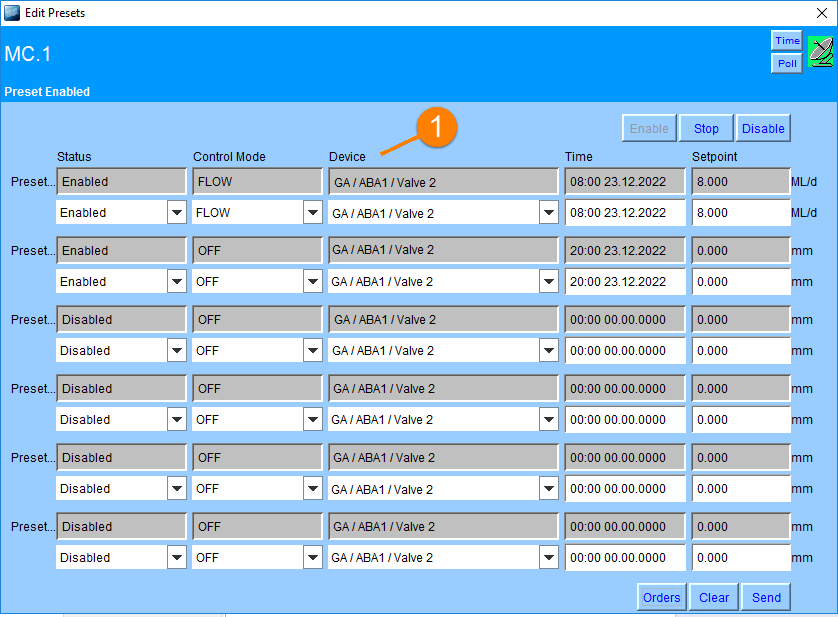
Preset screen for a shared control site with Device column (1)